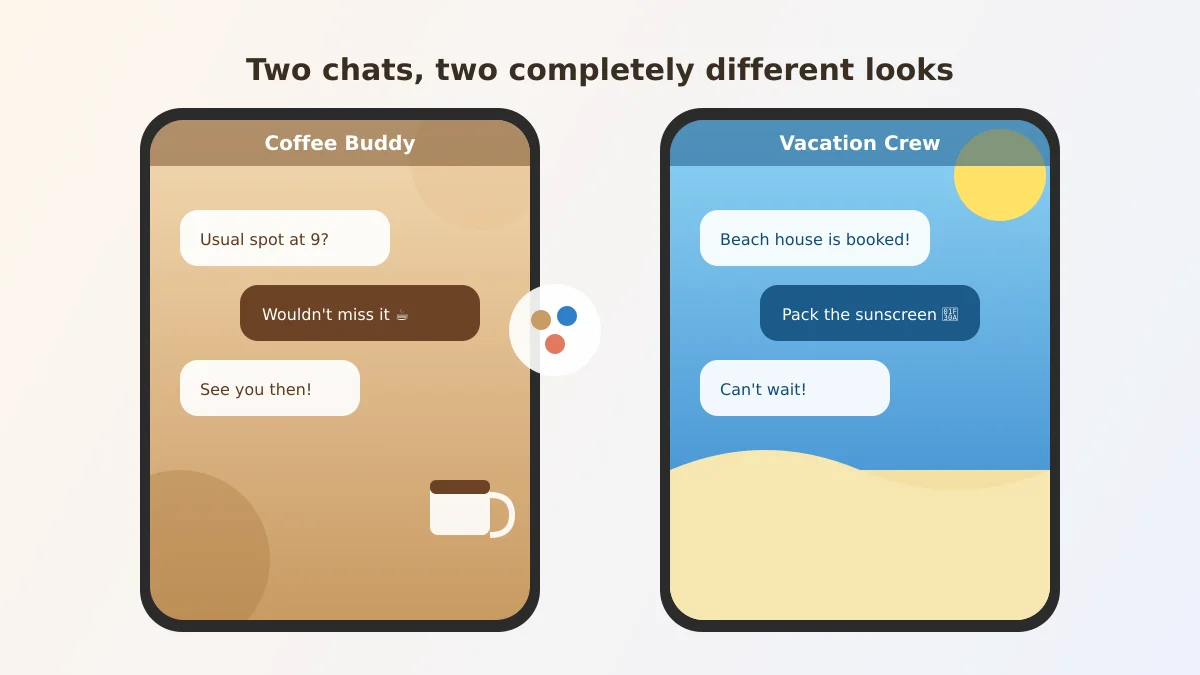
Say your sister sends a text and, out of nowhere, her side of your conversation looks like a sunny beach postcard while your chat with your coffee buddy still looks plain gray. You didn't imagine it, and nothing's broken.
That's Chat theme, a new option inside Google Messages, the standard texting app on most Android phones, that lets you give each individual conversation its own background picture and color scheme.
The one thing worth doing first
Open the conversation you want to change, tap the three-dot menu in the top corner, and look for "Chat theme." From there you can pick one of Google's built-in wallpapers or upload your own photo, and your text bubbles automatically shift color to match it.
Try a latte-brown look for the friend you get coffee with, or a beach photo for the group planning next summer's trip. It takes less than a minute once you find the menu.
What actually changes, and for whom
Here's the part that surprised me: this is a one-sided setting. If you set a beach theme on your side of the conversation, your sister's phone doesn't automatically change. She'd need to set her own theme if she wants one too.
That also means nobody accidentally sees a theme they didn't choose, and you can't use it to prank someone else's screen. It's purely a "how my phone looks to me" feature.
Why Google added this
Google rolled out Chat theme as part of its September 2026 Android Drop, a monthly batch of new phone features that also added the ability to share a Google Keep checklist right inside a text thread.
The idea is simple: if you're juggling conversations with grandkids, a doctor's office, and your book club, a glance at the background can tell you which chat you've landed in before you read a word.
One limitation I noticed
Chat theme changes the background and bubble colors, but it doesn't rename the conversation or change notification sounds. If two chats end up with similar wallpapers, you're still relying on the contact name up top to tell them apart.
It's also worth knowing a busy or very light personal photo can make text harder to read, so Google's built-in wallpapers tend to look cleaner than personal photos in a pinch.
Getting started
If you'd like to try it, start with just one conversation, maybe the one you check most often, before customizing your whole contact list.
While you're exploring what's new in Google Messages, Google Keep lists can now live right inside a text thread, and Gemini can now remember where you set down things like your passport or spare keys from this same software update. And if a text ever asks you to click a link or pay someone in a hurry, it's worth knowing how to verify an unexpected request before you act.
Either way, a little color never hurt anybody's text messages.