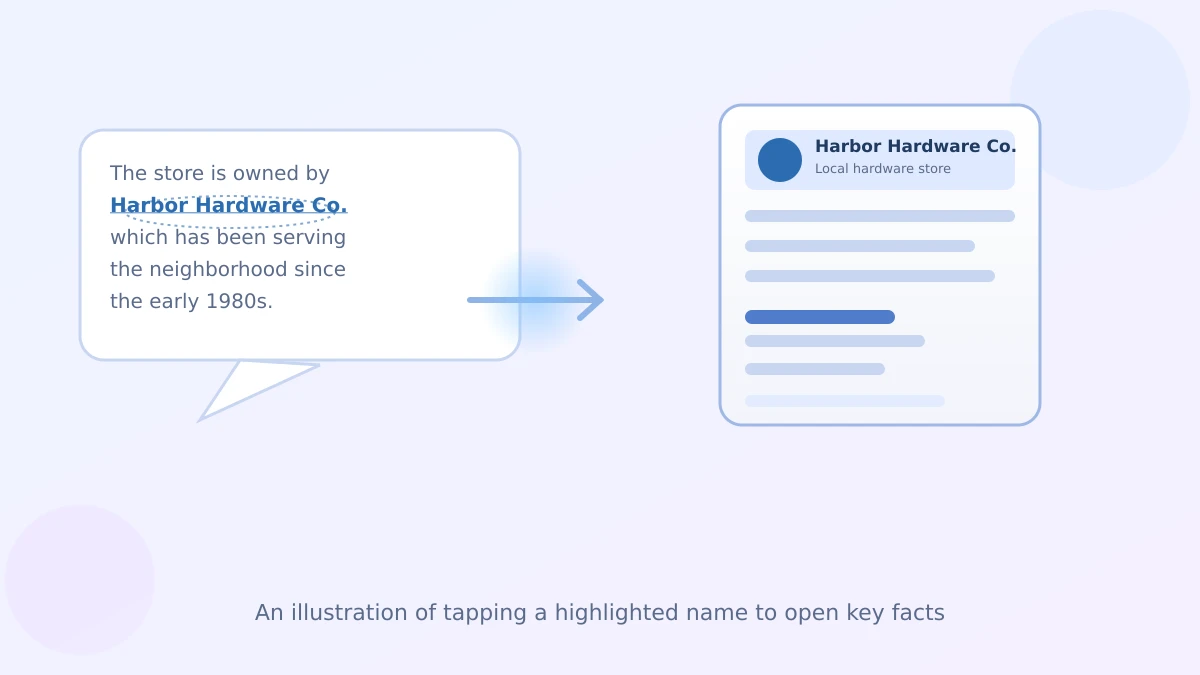
Say you ask ChatGPT about a local hardware store your neighbor mentioned, and the answer casually drops the name of the company that owns it. A week ago you'd have had to type a whole new question just to find out more. I only found out about this last week myself: now you can just tap the name.
What's actually new here
OpenAI has started highlighting certain words in ChatGPT's answers — usually names of people, places, businesses, or products. They show up underlined with a dotted line under them, a little different from the regular text around them.
Tap one, and a side panel slides open next to your conversation. It gives you a short summary, a few key facts, and links to where that information came from — without you losing your place in the chat.
The one thing worth doing today
Next time you're chatting with ChatGPT and a business, person, or product name shows up looking underlined, just tap it. That's the whole point of these ChatGPT answer highlights and the side panel key facts: getting background information the moment you need it, instead of stopping to type "who is that" or "where is that located."
How it's different from just asking a follow-up
Normally, if ChatGPT mentions something you don't recognize, you'd type another question and wait for a new response. That works, but it pulls you out of what you were originally doing.
The side panel doesn't interrupt your conversation at all. It opens alongside it, so your original question and answer stay right where they are. You can glance at the facts, close the panel, and keep going.
What you'll actually see in that panel
For a business, expect basics like what it does and maybe an address if it's a local spot. For a person, a short bio. For a product, things like what it's used for. Each panel also links out to the sources behind the summary, so you can click through if you want more than the short version.
One thing worth knowing: not every name gets highlighted, only ones ChatGPT recognizes clearly enough to build a reliable summary for. If a name in your answer doesn't have the dotted underline, tapping it won't do anything — you'll still need to ask directly, the old-fashioned way.
Where you'll notice it most
This tends to show up in answers about restaurants, local businesses, authors, historical figures, and well-known products — the kind of everyday questions people already ask ChatGPT. If you've used our guide on organizing a long-running ChatGPT project, you've probably run into a few of these names already without a quick way to check them.
It also plays nicely with setting custom instructions for shorter answers — the highlights fill in extra detail on demand, so you don't need ChatGPT to pad every response just in case.
And if you're the type who circles back to an old conversation later, our piece on searching across your ChatGPT chats and files can help you find that earlier answer again, highlights and all.
A small catch to know about
The feature is rolling out gradually, so it may not show up in every chat or on every device yet. If you don't see any highlighted names today, there's nothing wrong with your account — it's likely just not there yet on your version of the app.
Either way, nothing about how you normally use ChatGPT changes. The highlights are just an extra shortcut sitting on top of the answers you already get.
That's really all there is to it — one small tap that saves you a whole extra question.
Official sources
- OpenAI Help Center: ChatGPT release notes
- LLMrefs: ChatGPT Entities and AI Knowledge Panels